ICC Color Management
It's
Functionalities and Advantages
by Jan
Introduction
Instrument measurements and color characterization using spectrophotometer and the ICC
method is a fast and simple way to attain precise color
communication or exchanges between color devices. In
fact ICC standard is the de facto nowadays for color
exchanges between devices and supported by all leading vendors http://www.color.org/memberlist2.html
. ICC workflow enables the company to able to efficiently communicate, control, evaluate and analyze colors -- in short
WYSIWYG -- as well as color capability of various ink,.media, printer, RIP software combination through 3D color gamut visualization.
Without ICC Color Management
In the absence of ICC color environment setting, much time and resources have to
be wasted on color tweaking alone to make the unpredictable
color outcome match its expectations. Time and resources wasted are cumulatively very
very high which in fact is not
something which is required in a production enviroment!
Color tweaking this way is much more difficult than playing
Rubik's Cube with every print out that could never look totally perfect no
matter how skilfully it was tweaked. Compounding the situation is the variable illumination
and ambience condition of the surrounding which affect artist color perception that time as well as the very limited finesse
the eye and hand can tweak the CMKY channels to make these thousands of fine delicate
colors look acceptable all at the same time compare to
what a color measuring device could do to reference all
these and store them into a huge color database
called ICC profile. Even so when colors are
painstakingly adjusted there is no assurance that the ink output wouldn’t
exceed what the media can handle especially with 6 color
inks which is 600% theoretically thus resulting to bleeding or less sharper
images . Moreover, artist also has no way to exactly know the
color interpretation of another artist. This is more like
a guessing game as if whether it is specified in centimetres or inches. So this
vicious cycle of color uncertainty repeats again and
again for each job to be outputted.
Mechanics of ICC Profile and How It Color Manage
ICC profiling is color
characterization of the device itself rather than color
adjustments. Every Printer/Media ICC
profile has its own unique color lookup tables(CLUTs) that translate all those meaningless RGB/CMYK
color combinations into meaningful CIE standard color quantities eg. CIELab color definition
specification. This can best be illustrated with two displays having random dot
shapes and sizes in every numerical position throughout the display area. Common
sense tell us that if a figure is formed
by these dots on display1 it will naturally be impossible to replicate the same shape and size of this figure on display2
unless each and every dots on both display1 and display2 are accounted. However
once all these dots both on display 1 and display 2 are measured and remembered
then mapping figures of any shapes and sizes accurately between display1 to
display2 and vice versa will now be a breeze and with inches as the go-between conversion
for the two. So in ICC color standards it too have the
CIELab as the go-between or also known as the Profile
Connection Space (PCS) of RGB/CMYK so that
meaningful color conversions can take place. If we
have 101 (0%-100%) different levels of 4 channels CMYK which is 101 ^ 4
possible CMYK combinations then in ICC standards we should also have 101 ^ 4 possible
combinations that can be mapped by the CMM (Color Management
Module or color conversion engine) to other CMYKs or RGBs and vice versa.
Currently in ICC standards there are
three kinds of CLUT in every CLUT type of ICC profile and each has different color mapping method. Since conversion are two directional therefore we have six
CLUTs in total
which is either CMYK -> PCS and PCS
-> CMYK. The three kinds are the:
1) Perceptual Rendering Intent (CMYK0 -> PCS0 and PCS0 -> CMYK0) 2) the
Absolute and Relative Rendering Intent, (CMYK1 -> PCS1 and PCS1 -> CMYK1)
with the media white point mapping (on/off)
3) Saturation Rendering Intent (CMYK2
-> PCS2 and PCS2 -> CMYK2).
For color exchanges to be established between two different
profiles. We can have all these possibilities: RGB (device 1) -> PCS à PCS -> CMYK (device2 ); CMYK (device1) -> PCS à PCS
-> RGB (device2) ; RGB (device
1) -> PCS à PCS -> RGB (device 2); CMYK (device 1) ->
PCS à
PCS -> CMYK (device 2) with
either the rendering set at 0, 1 or 2 and with mapping directions reversible either:
device 1 to device 2 or device 2 to device 1
e.g. CMYK (device 2) -> PCS à PCS - > RGB (device 1) for all of the above
Features and Advantages of an ICC Color Managed
Workflow
1) Controlled Tone Reproduction and Accurate Colors on the Fly on Monitor to Print
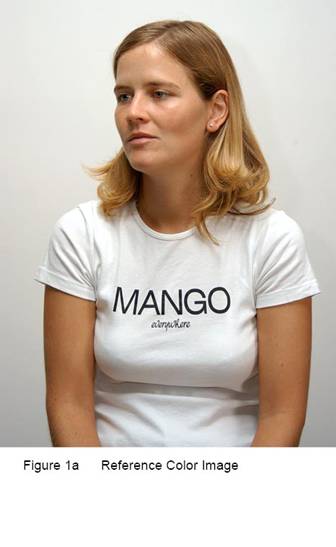
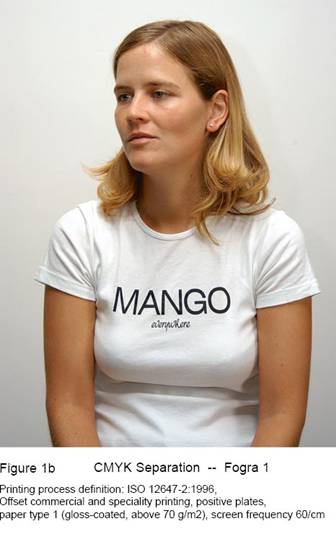
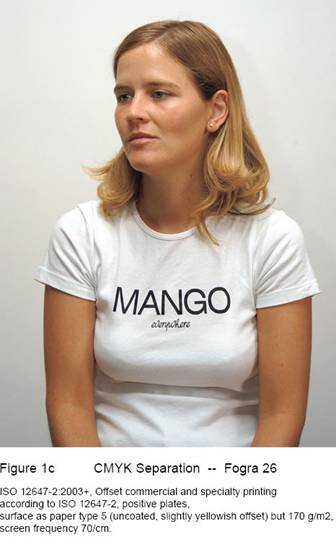
Visually that means: 1) color are more natural and true-to-life 2) neutral gray balance 3) more details in the shadows and highlights 3) better sense of depth perception.

2) Quantifiable Colors and Lightness Values
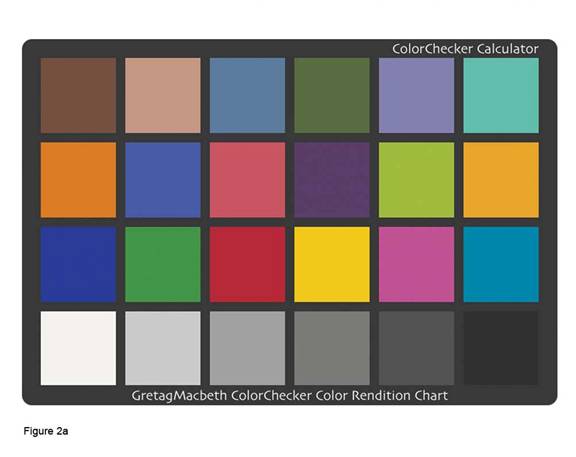
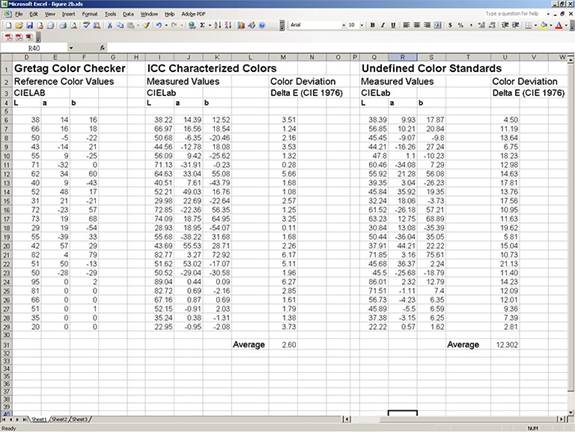
Main objective of ICC color management is to faithfully and consistently recreate all the colors specified on a computer file to all different output devices. In a properly calibrated system, this is achievable and accuracy are within tolerance. Colors are made quantifiable by the CIE. If we have 'meter' as the standard unit for distance, in colors for the Graphics and Arts industry we have the CIELab. Color can also be quantified in various ways depending on its application uses such as Device Dependent RGB, HSB, Device Dependent CMYK, XYZ, CIELuv and CIELab. which are all mathematically interchangeable such as centimeters to inches to feet to yards and to meters.
3) Color Proofing
With calibration, characterization and ICC color management, color devices such as Inkjets and Lasers can be turned into ISO certified color proofers . Without need for traditional analog proofers it is possible to simulate the printing color characteristics of other print system such as those International Standard Offset Systems, Pantone or Munsell Color System and meet the requirements of ISO 12642: 1996 (International Standard on Defining Color Accuracy) or ISO 12642: 1996 (Prepress Digital Data Exchange - Input Data for Characterization of 4-Colour Process Printing (Digital Prepress Calibration Standards, Color Space Conversions, RGB Input, CMYK Output, CIE L*A*B*, ICC Profiles))
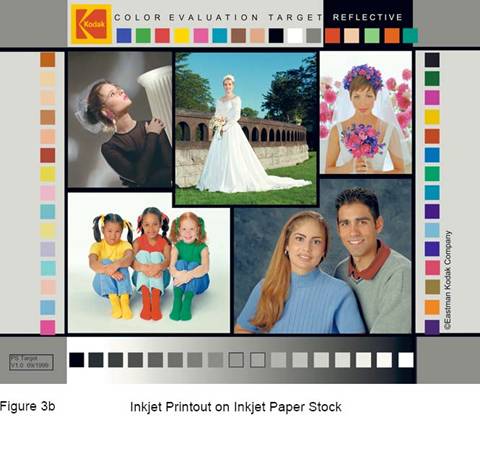
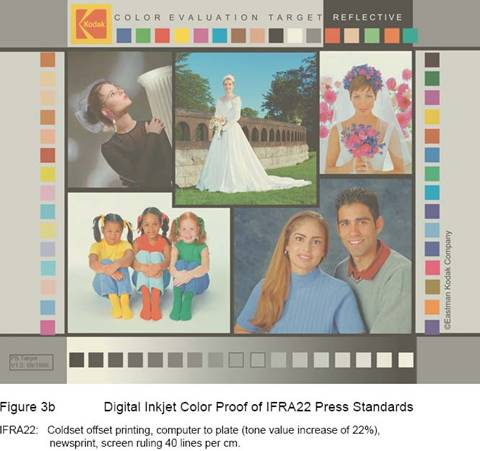
4) Total Ink Limit, Black Ink Limit, Defining Black Point Color,
UCR/GCR Control
With customizable Total Ink Limit, Black Ink Limit, UCR/GCR and Black
Point users have both their production costs and print quality optimised.
The Total Ink Limit in the ICC profile defines the maximum
allowable ink amount for output. Depending on paper types and print processes ideal
Total Ink Limit can be range from 260% and 400%. This value is obtained by
analyzing calibration targets based on image sharpness.
Black Ink
Limit defines the maximum Black Limit. It is usually set to less than 100% to reduce
the posterization effects of the shadow portion of a linearized K channel.
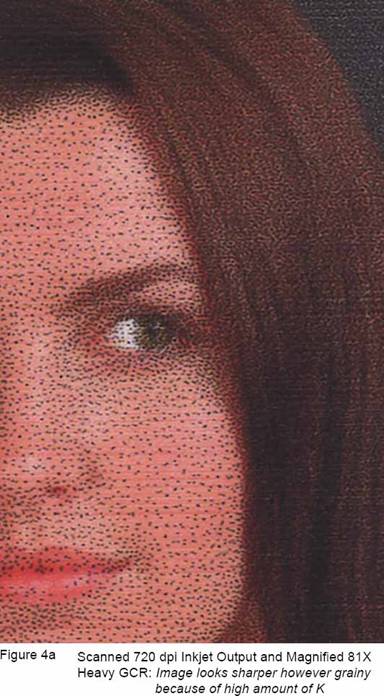
UCR is Under Color
Removal and GCR is Gray Component Replacement. Both functions are to replace
some equal parts of the CMY inks with K (black). The differences between UCR and GCR is that
UCR replaces some CMY inks that are concentrated in the shadows regions but
gradually stop at the middle tones and highlights; while GCR replaces some CMY
inks in the regions that includes the shadows, middle tones and highlights. A
finely crafted UCR/GCR curve should have these following results: 1) rich
shadows for images 2)
black text and vector graphics are sharp and crisp even in CMYK rich black 3) eliminate
the effects ink metamerism particularly with pigment
inks -- greenish appearance of neutral CMY when viewed under illuminants such as
fluorescent lights.

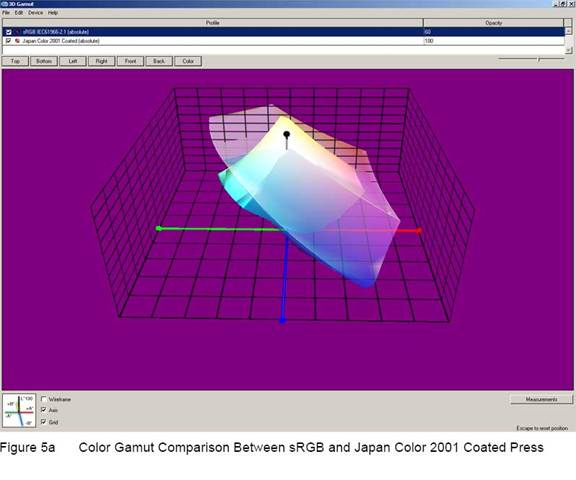
5)
Color Gamut Evaluating
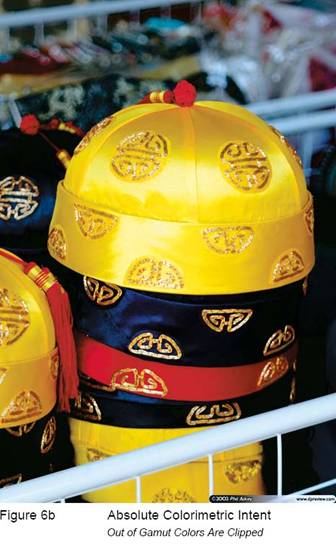
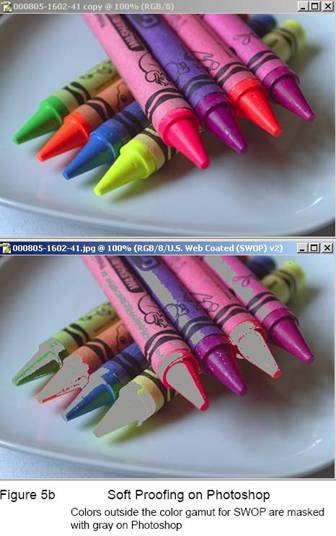
The outline and shape of the color gamut is encoded in the ‘gamut table’ of the ICC profile. The 2D or 3D gamut shown in CIELab model or sometimes CIE xyY model, describe the latitude of colors and brightness that an output device can display or print. Evaluating device color gamut allows user to know which ink, paper and halftone combo have the widest possible colors for the image to be printed or to take remedial actions to some out-of-gamut colors by choosing a more suitable colorimetric rendering intent or manually adjusting the brightness and saturation to make it fit into the gamut before final production run.
6)
Perceptual Rendering Function
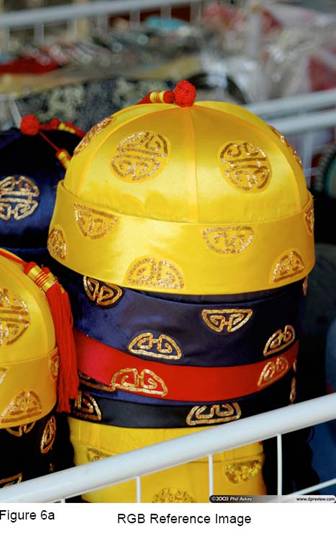
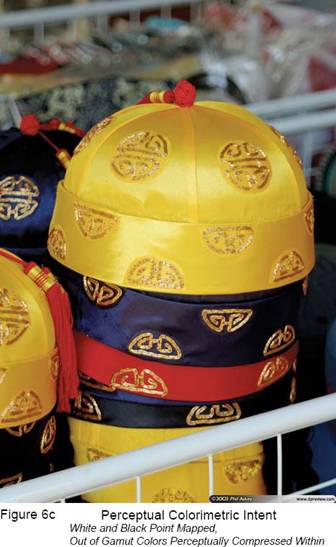
Another important aspect of ICC color management is the Perceptual Rendering. It is a gamut
mapping technique where the 3D color gamut and
vertices (white points and black points) of the source space (camera/ scanner/
RGB color space) are mapped into the smaller 3D color
gamut of the destination space (media/printer CMYK color
space This approach is chosen when the color space of the source is much larger than the
destination and the perceptual relationship of out-of-gamut colors
have to be preserved. Depending on the look up tables of the ICC profiles this
approach typically preserves the hue and perceptually mapped the contrast and saturation
inside the destination space to preserve its color
relationship relative to the source. Source images of high brightness and high saturation
to be replicated on low brightness and low saturation paper stocks such as newsprint
materials are recommended to use the Perceptual Rendering to avoid color clippings at the bright and saturated color boundaries. Compare this with the dynamic range of an
orchestral recording where the sound level may well exceeds a typical home
stereo system. So instead of turning up the volume to reproduce the sound
levels heard on the orchestra and get nastily distorted what is needed is lower
the volume to the range the stereo system is capable and preserve the pitch and
harmonics of the recording. This principle is similarly applied also for visual
colors. With current ICC standards there are four major color mapping
techniques to choose: 1) Absolute, 2) Relative 3) Saturation 4) Perceptual with custom tweaks such as defining
gray balance -- paper relative or absolute, defining
black and white point color etc. These
mappings techniques which is based on visual science theories are needed: to maximize
the use of the currently available color gamut for
the industry, to eliminate the ugly color clipping in
some parts of the images and even to trick the brain into seeing more colors than which is actually there!